Ultrebo for Android
Record your taps and swipes, replay them on a loop, and let your phone react when a button or some text shows up on screen. Built for repetitive game tasks like tower-defense farming.
Android 8.0 or newer. Not available for iPhone, because iOS does not let apps tap other apps.
On a computer? There is also a version for Windows and Mac: Ultrebo for PC.
What it does
Record
Play normally with a small floating bar on top. Ultrebo saves each tap and swipe with the pauses between them.
Edit every step
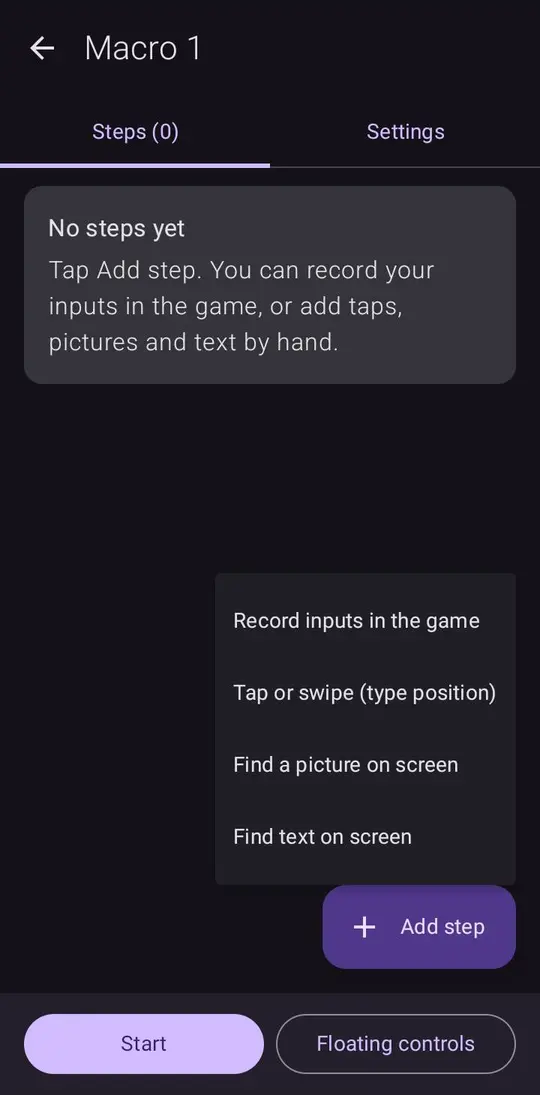
Change positions, delays, repeats and order. Test a single step. Switch steps on and off.
Find images
Crop a button or icon from your screen and Ultrebo taps it whenever it appears.
Find text
Type the words to look for (like "I'm here") and it taps them when they show up.
Rules
Always-watching detections that check the screen while your macro runs. Pause and carry on, or restart the macro, when a pop-up appears. Add as many as you like; if two show at once, the one nearest the top goes first.
Discord alerts
Paste a Discord webhook, tick a step or rule, and Ultrebo posts a screenshot to your channel whenever it is found, so you can walk away and still know.
You choose how often
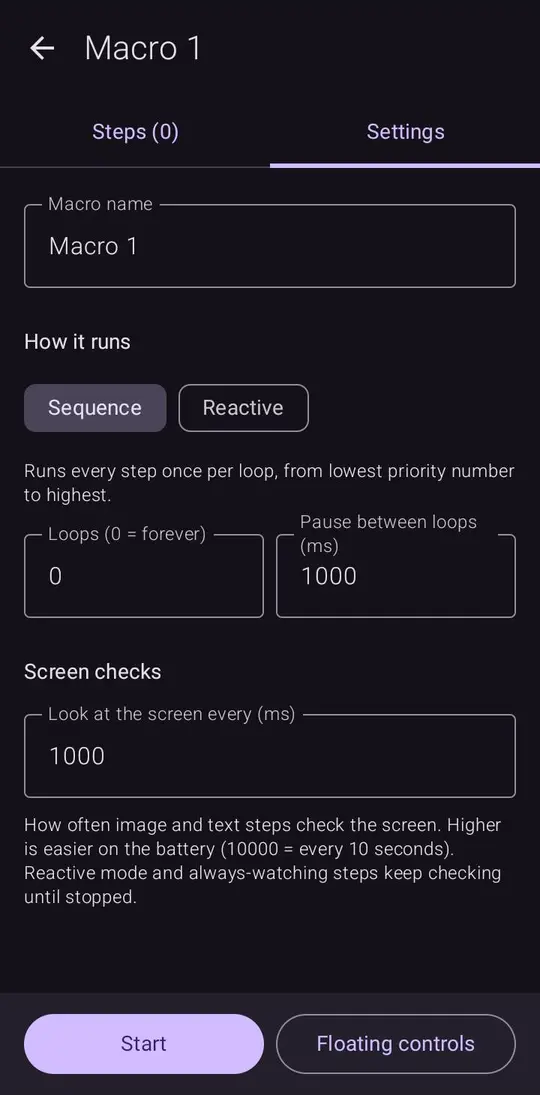
Set how often it looks at the screen, from several times a second to every few seconds, to save battery.
A look inside
Why each permission?
Ultrebo asks for a few sensitive permissions because tapping for you needs them. Here is exactly what each one is used for, and nothing else. See permissions explained in detail.
| Permission | What it is used for |
|---|---|
| Accessibility service | This is how every auto-clicker app taps for you. Ultrebo uses it only to perform the taps and swipes in your macros and to show its floating RUN / REC bar. It does not ask for permission to read the content of other apps. |
| Screen capture optional | Only needed for image and text steps, so Ultrebo can look at the screen and find your target. Frames are checked in memory on your phone and thrown away. The only picture ever saved is the small region you crop yourself. Android asks you again each time the app restarts. |
| Notifications | Android requires a visible notice while screen capture is on. That is the only notification Ultrebo shows. |
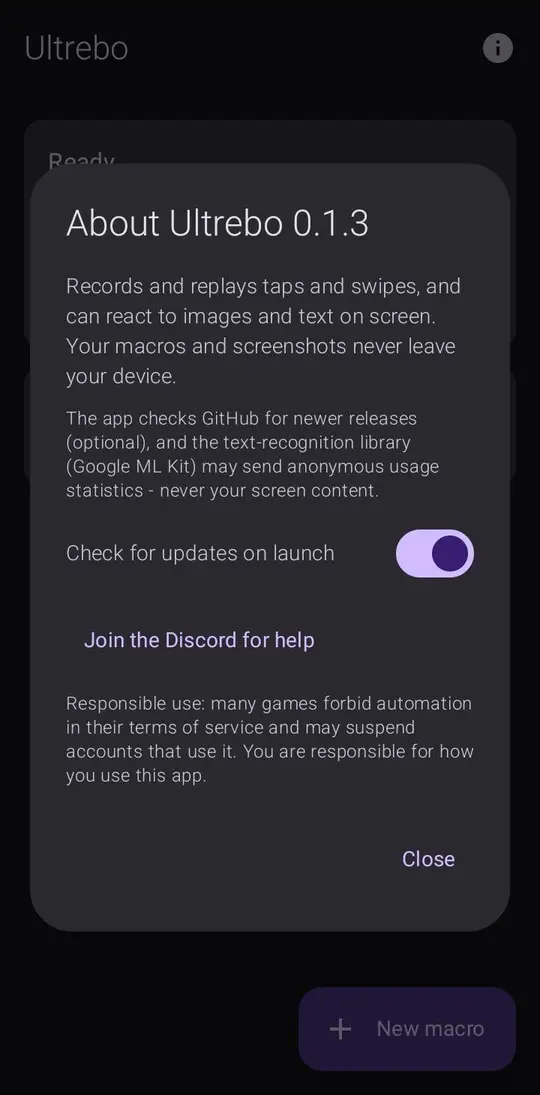
| Internet | Used to ask GitHub whether a newer version exists, and to download it if you tap Update. You can turn the check off. The text-recognition library (Google ML Kit) runs on your phone, but it may send anonymous usage statistics to Google, never your screen content. If you set a Discord webhook and switch it on for a step or rule, it also posts a screenshot to that webhook when the step or rule is found. |
| Install unknown apps optional | Only used by the in-app updater, to install Ultrebo's own new version. Android only accepts an update signed with the same key as the app you have. |
Your macros and cropped images are stored privately on your phone and are never uploaded. There are no ads and no accounts at the moment.
Check it yourself
- The code is public. Read every line on GitHub.
- Built in the open. The downloadable APK is built by GitHub's own build system from that code, and the release page lists its SHA-256 checksum.
- Scan it. Upload the APK to VirusTotal if you want a second opinion.
Install
The short version is below. For step-by-step help, see the full install guide.
- On your phone, open the latest release and download
Ultrebo-….apk. - Tap the file and allow "Install unknown apps" for your browser or Files app when Android asks.
- Open Ultrebo. The Get started guide walks you through the permissions and disappears once they are on.
- If Android says a setting is "restricted", the guide shows how to allow it (Android blocks apps installed outside the Play Store until you do).
Questions
Is it safe?
Everything it does is described above and in the open-source code. It has no ads or accounts and does not upload your macros or screenshots, except a screenshot you choose to send to your own Discord webhook. As with any app, only install it if you are comfortable with that.
Could I get banned from a game for using it?
Possibly. Many games forbid automation in their rules and may suspend accounts that use it. Ultrebo does not hide itself or avoid detection. You are responsible for how you use it.
Why does it need the accessibility service?
It is the only official way an Android app can tap and swipe on other apps. Every auto-clicker uses it.
Does it need root?
No.
Is it on the Play Store?
No. Apps that automate taps are very restricted there, so Ultrebo is distributed from GitHub.
Something is broken. Where do I report it?
Join the Discord server and open a support ticket, or open an issue on GitHub. Say your phone model and Android version.